---
title: Console, Floating Window & Screensaver
description: View structure, global floating overlay controls, OLED burn-in prevention screensaver, widgets, and log export.
updated: 2026-10-20
---
# Console, Floating Window & Screensaver
The Android host decouples management from display: the Console configures automation, the Floating Overlay allows quick adjustments, and the Screensaver conserves battery while preventing display burn-in.
## Core Views
| View | Purpose |
| --- | --- |
| Home | Runtime health, provisioning progress, start/stop toggle, remote pairing button |
| Automation | Virtual display stream, active instance switcher, task start/stop controls |
| Console | Embedded WebUI (identical frontend to desktop edition) |
| Logs | Three-way logs covering Host, Runtime, and Privileged services |
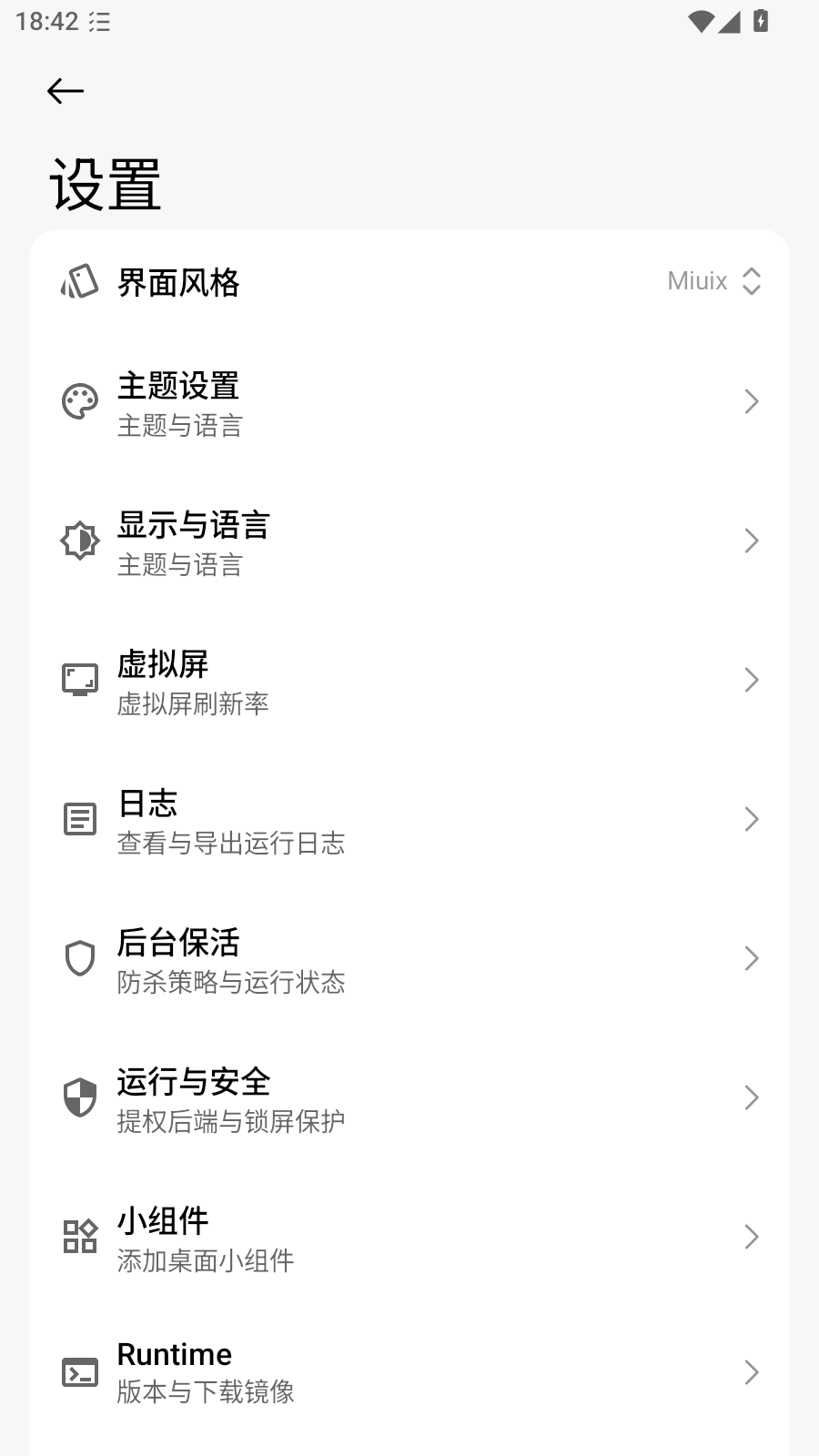
| Settings | Appearance, download mirrors, privileges, keep-alive, screensaver, about info |
The remote pairing shortcut in the top right of the Home view connects directly to remote instances without requiring local Runtime deployment.
## Global Floating Overlay
Powered by FloatingX, the global overlay operates above all applications and launcher screens:
| Action | Function |
| --- | --- |
| Tap Icon | Expands / collapses control panel |
| Start / Stop | Toggles task execution on active instance |
| Queue | Views scheduled tasks and active operation |
| Switch Instance | Changes target instance worker |
| Log Feed | Streams recent execution output in real time |
The overlay runs in an isolated Window independent of Activity `Configuration` or `ViewModelStore`. It receives theme and state updates via `AppThemeState` and `OverlayController`.
::: tip Overlay Missing
Confirm the "Display over other apps" permission is granted. Certain vendor skins require an additional "Background popup windows" permission.
:::
## Screensaver (Burn-In Prevention)
Long automated sessions on OLED screens risk permanent display burn-in. The screensaver mitigates this:
| Attribute | Behavior |
| --- | --- |
| Background | Pure black with minimized display brightness |
| Activation | Manual toggle, or automatic activation when tasks start |
| Pixel Drift | Shifts elements 16dp vertically every 10 seconds after 30 seconds of inactivity |
| Dismissal | Drag the unlock slider fully to the right |
Pixel drift operates independently of the virtual display, ensuring background game execution is undisturbed.
## Home Screen Widgets
Glance and RemoteViews widgets display execution status and provide quick toggle controls from the launcher.
To prevent rendering errors across customized vendor ROMs that misinterpret `?attr` vector tints, widgets utilize explicit drawable assets rather than dynamic theme attributes.
## Process Keep-Alive
Aggressive system power managers are the primary cause of background task termination. The host implements three defense tiers:
1. **Foreground Service**: Keeps process priorities elevated while Runtime or virtual displays are active, backed by a persistent notification.
2. **Multi-Path Keep-Alive**: `KeepAliveManager` dynamically adjusts execution pathways according to settings toggles.
3. **Battery Optimization Exemption**: Requires manual user approval.
Recommended system configuration:
- Settings → Apps → AzurPilot → Battery → Unrestricted.
- Whitelist the app under device Autostart and Background Execution settings.
- Disable aggressive battery saver modes during automation.
::: warning Keep-Alive Limits
Under extreme RAM starvation or aggressive manufacturer battery management, the OS may terminate background processes regardless of keep-alive hooks. Export logs to determine whether termination was caused by a crash or an OS signal.
:::
## Log Management
Three distinct log outputs are archived separately:
| Log Type | Storage Location | Content |
| --- | --- | --- |
| Host Log | Private App Storage | Compose UI, gateway, provisioning, update logs |
| Runtime Log | `proot/session.log` + upstream `log/` | Task scheduler and game logic output |
| Privileged Log | Isolated timeline | ADB startup, Binder handshake, virtual display |
Features:
- Automatically saves display frame snapshots upon task errors.
- Enforces a 7-day retention rotation policy.
- Single-tap export to zip archives.
::: danger Verify Credentials Before Sharing Archives
Ensure logs do not contain `config/deploy.yaml`, `password.txt`, or `remote-access.json`. These credential files reside under the Runtime's `config/` directory and are excluded from standard log exports.
:::
## Settings Reference
| Category | Options |
| --- | --- |
| Appearance | Material / Miuix style, dark/light themes, dynamic wallpaper coloring |
| Downloads | CNB / direct GitHub / mirror selection / custom endpoint prefixes |
| Operation & Security | Built-in Shizuku, Root, external services, activation status |
| Keep-Alive | Foreground service, battery optimization prompts |
| Screensaver | Auto-engage, brightness levels, drift frequency |
| OCR | Hardware acceleration backend, thread concurrency, CPU fallback |
| About | Version strings, commit hashes, open-source licenses |
## Common Troubleshooting
| Issue | Root Cause |
| --- | --- |
| Overlay taps do nothing | Overlay permission revoked or restricted by battery saver |
| Screensaver does not drift | System animation scales set to 0 in Developer Options |
| Widget displays stale status | System launcher cached widget; remove and re-add widget |
| Tasks stop when screen turns off | Battery optimization not set to Unrestricted |
| Exported log archive is empty | Logs were pruned by 7-day rotation, or storage permissions are missing |