
AzurPilot for Android
The Android version is not a stripped-down mobile client—it packages the complete core program (including Python 3.14, dependencies, OCR models, and frontend assets) into an APK, executes rootless via PRoot, and runs the game in a background virtual display.
Two Distinct Operating Modes
| Mode | Where Game Runs | Local Runtime | Privileges | Best For |
|---|---|---|---|---|
| Local Host | On this phone | Required | Requires built-in ADB or Root | Dedicated mobile automation without a PC |
| Remote Client | On another machine | Not required | None required | Controlling remote desktop instances from mobile |
Do Not Confuse the Two Modes
Remote client mode does not launch the local Runtime or require Shizuku. It points AzurPilotGateway to an external instance's tunnel endpoint, reusing the native console interface. See Using as Remote Client.
Architectural Layers
| Layer | Technology | Responsibility |
|---|---|---|
| App Shell | Kotlin + Compose (Material / Miuix) | Interface, Runtime provisioning, gateway subscriptions, overlay panel |
| PRoot | jniLibs bundle | Rootless system call translation |
| Runtime | Ubuntu 24.04 + Python 3.14 | Upstream core program and WebUI |
| Privileged Service | app_process + AIDL + JNI | Virtual display, screenshot capture, touch injection |
| OCR Worker | :ocr isolated process | Inference API (127.0.0.1:22302) |
Three distinct process boundaries:
- Main Process: Compose UI, settings, and gateway WebSocket.
-
:ocr: Hosts LiteRT / MNN inference libraries; crashes do not destabilize the primary UI. - Privileged Process: Spawned via built-in ADB, Shizuku, or Root; manages virtual displays and native bridge bindings.
Feature Highlights
| Capability | Description |
|---|---|
| Background Virtual Display | Game executes on an independent Virtual Display, keeping physical screen free |
| Global Overlay Panel | Controls tasks, monitors queues, and streams live logs from any screen |
| Embedded Console | Full on-device WebUI management without a computer |
| Hardware-Accelerated OCR | Supports Qualcomm QNN, MediaTek NeuroPilot, HiSilicon HiAI; CPU fallback |
| High-Speed Frame Channel | Anonymous SharedMemory + SCM_RIGHTS benchmarked at 15.6 ms (TCP: 47.2 ms) |
| OLED Screensaver | Ultra-low brightness black screen drifting 16dp every 10s to prevent burn-in |
| Dual-Track Updates | APK and rootfs Runtime update independently with transactional script hot-updates |
| Diagnostic Log Export | Host and core logs separated, 7-day rotation, single-tap archive export |
Prerequisites
| Dimension | Minimum | Recommended |
|---|---|---|
| Android Version | Android 9.0 (API 28) | Android 12–15 |
| Architecture | ARM64-v8a / x86_64 | Same |
| Storage | 2.5 GB available | 5 GB available |
| RAM | 4 GB | 6 GB+ |
| Privileges | Built-in ADB pairing / Root / Shizuku | Built-in ADB pairing |
32-bit devices are unsupported. x86_64 targets emulators; physical hardware runs ARM64.
Choosing the Right Package
| Package Type | Embedded Runtime | First Launch | Best For |
|---|---|---|---|
| Full APK | Yes | Unpacks locally in 1–3 minutes offline | Initial setup (Recommended) |
| Thin APK | No | Downloads ~1 GB Runtime on boot | Updating host app on existing setups |
Installing thin APK updates over full installations preserves the unpacked Runtime, configurations, and instances.
User Interface
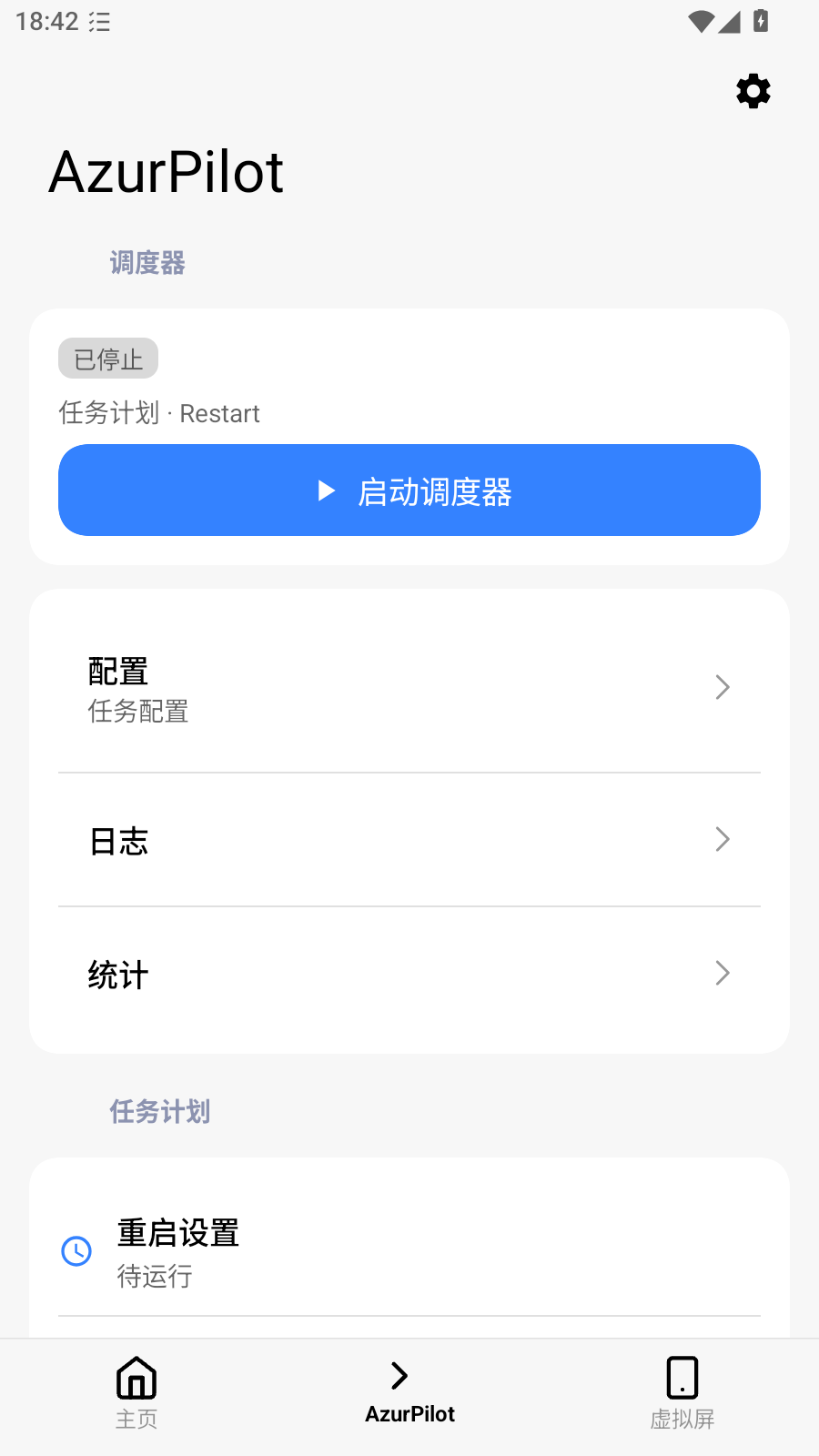
| View | Contents |
|---|---|
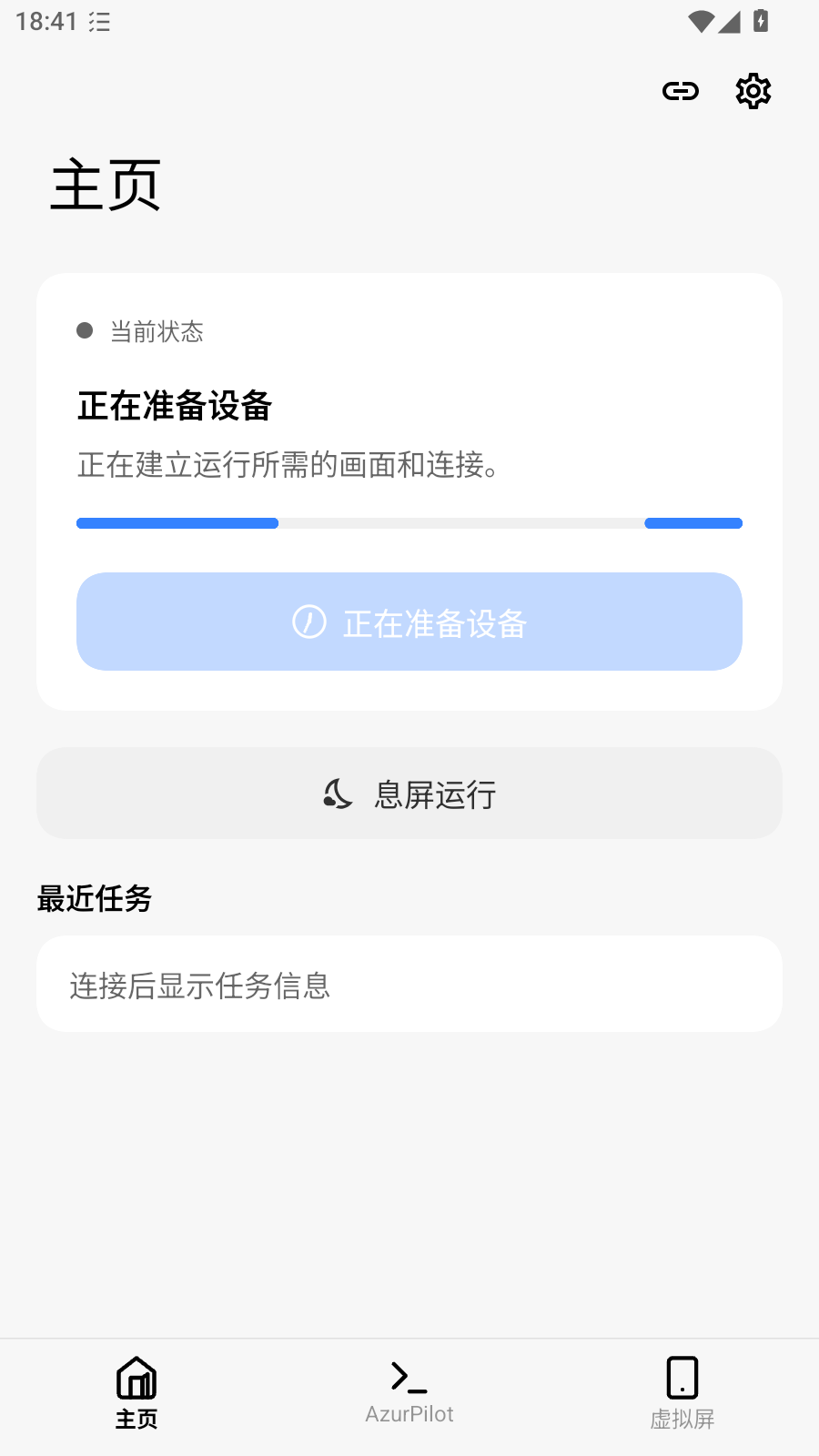
| Home | Runtime status, download/extract controls, start/stop switches |
| Automation | Virtual display stream, active instance, task start/stop controls |
| Console | Embedded WebUI dashboard |
| Logs | Host and worker execution logs with zip export |
| Settings | Themes, download mirrors, keep-alive, OCR backends, screensaver, remote access |
Supports both Material 3 and Miuix visual styles alongside dark themes. Screenshots and details are available in Console, Floating Window & Screensaver.